Cybersecurity for small tax firms starts with a working WISP
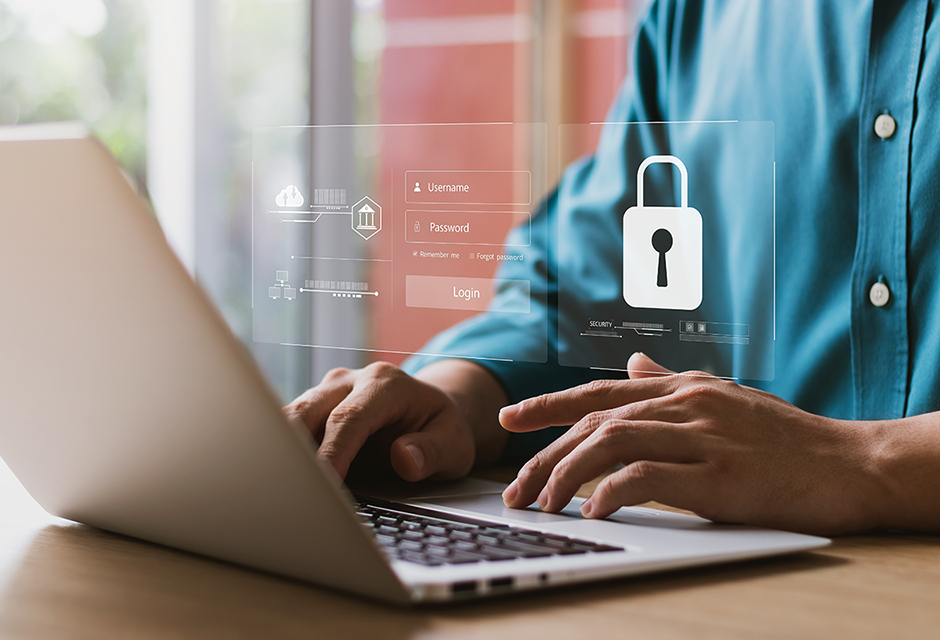
A small tax firm may have a smaller footprint, but that does not make cybersecurity optional. Its safeguards can still be practical and manageable. Federal law requires tax preparation firms to maintain a written information security program (WISP) that fits the firm’s operations and exposure to sensitive client information.
A sole practitioner’s WISP will not look like a national firm’s plan. It must, however, accurately document how the practice protects taxpayer information and responds when something goes wrong.
Does a two-person tax firm really need a WISP?
Yes. The Federal Trade Commission (FTC) Safeguards Rule applies to covered tax preparation firms, not merely large firms or businesses holding a particular credential. The requirement is tied to the firm’s activities and how it handles customer information, not whether someone holds a preparer tax identification number (PTIN) or electronic filing identification number (EFIN).
The security program must be appropriate to the firm’s size and complexity, the nature and scope of its activities and the sensitivity of the information it handles. This language reflects the FTC’s governing standard. Although firms maintaining information on fewer than 5,000 consumers are exempt from certain detailed provisions of the Safeguards Rule, they are not excused from maintaining an appropriate written security program.
For a sole practitioner, that plan may be concise. It should still identify who is responsible for security, what client information the firm maintains, where the information is stored and how foreseeable risks are addressed. The IRS provides a sample framework in Publication 5708, Creating a Written Information Security Plan for Your Tax & Accounting Practice.
The plan needs to change with the practice. Adding a cloud service, replacing a computer, changing personnel or closing the firm can affect where client information remains and how it must be protected. A practitioner who retires but continues retaining client records still needs safeguards for those records and a secure disposal process when the applicable retention period ends.
Are the firm’s everyday protections working together?
Antivirus software will not catch every phishing attempt. Turn on the anti-phishing protections available through your email provider, and train staff to pause and verify suspicious messages before clicking a link or opening an attachment.
Multifactor authentication (MFA) generally must be enabled for anyone accessing the firm’s information systems unless the qualified individual (the person designated to oversee and implement the firm’s information security program) approves equivalent or more secure controls in writing. MFA on the computer login alone does not protect an email account that can be accessed from another device.
Cloud storage offers another layer of protection, but by itself it does not meet the firm’s encryption requirements. Customer information generally must be encrypted at rest and in transit unless encryption is infeasible and the Qualified Individual approves effective alternative controls. Full-disk encryption, such as BitLocker for Windows or FileVault for Mac, helps protect locally stored data if a device is lost or stolen. Operating systems, browsers, security software and tax software should be configured to update automatically when that option is available.
Tax professionals should also watch for signs that existing controls have failed. Unexpected software changes, unfamiliar e-file acknowledgments, unexplained return counts or client responses to messages the firm did not send may indicate unauthorized activity. The IRS recommends checking EFIN usage through the firm’s e-Services account and reporting suspected data theft immediately to the firm’s local IRS Stakeholder Liaison.
If something cannot be explained, treat it as a potential security event and disconnect the affected device from the network. Activate the firm’s incident response plan, then contact the firm’s technology professional. Preserve available information about what occurred before making changes that could destroy useful evidence.
Put your small-firm cybersecurity plan to the test
Use this quick self-check to identify gaps that deserve follow-up.
Before filing season
- Review the WISP and update it for changes involving staff, devices, service providers or business procedures.
- Confirm that each person can access only the client information required for their work.
- Schedule security awareness training and retain documentation showing what was covered.
- Test the firm’s incident response contacts and backup procedures.
During filing season
- Use MFA for email, tax software, cloud storage and client portals.
- Keep operating systems, browsers, security software and tax software current.
- Compare EFIN activity with the returns the firm actually filed.
- Verify unexpected attachments or account requests through a separate communication channel.
When equipment leaves service
- Confirm how long client information must be retained.
- Securely erase stored data before recycling, selling, donating or repurposing a computer.
- Remember that deleting files or reformatting a drive may not securely remove the underlying information.
- Document the device and the disposal method used.
When activity looks wrong
- Disconnect the affected device without wiping it.
- Activate the firm’s incident response plan.
- Contact the firm’s technology professional and local IRS Stakeholder Liaison promptly.
- Determine whether IRS, FTC, state agency or client notification requirements apply.
Your WISP should match the safeguards your firm actually uses. If the plan says one thing and the office does another, update the plan or close the gap.
For a deeper look at cybersecurity safeguards, take NATP’s 2026 Cybersecurity Best Practices for Tax Professionals on-demand webinar. When you are ready to build or update your WISP, continue with the 2026 Modernizing Your WISP and Securing Client Data on-demand online workshop.
About the author(s)

NATP Staff